Base44
Tell Base44 to use Shipp
Include the instructions in your Base44 prompt:
This lets Base44 know it should use Shipp as the real-time data layer for your app.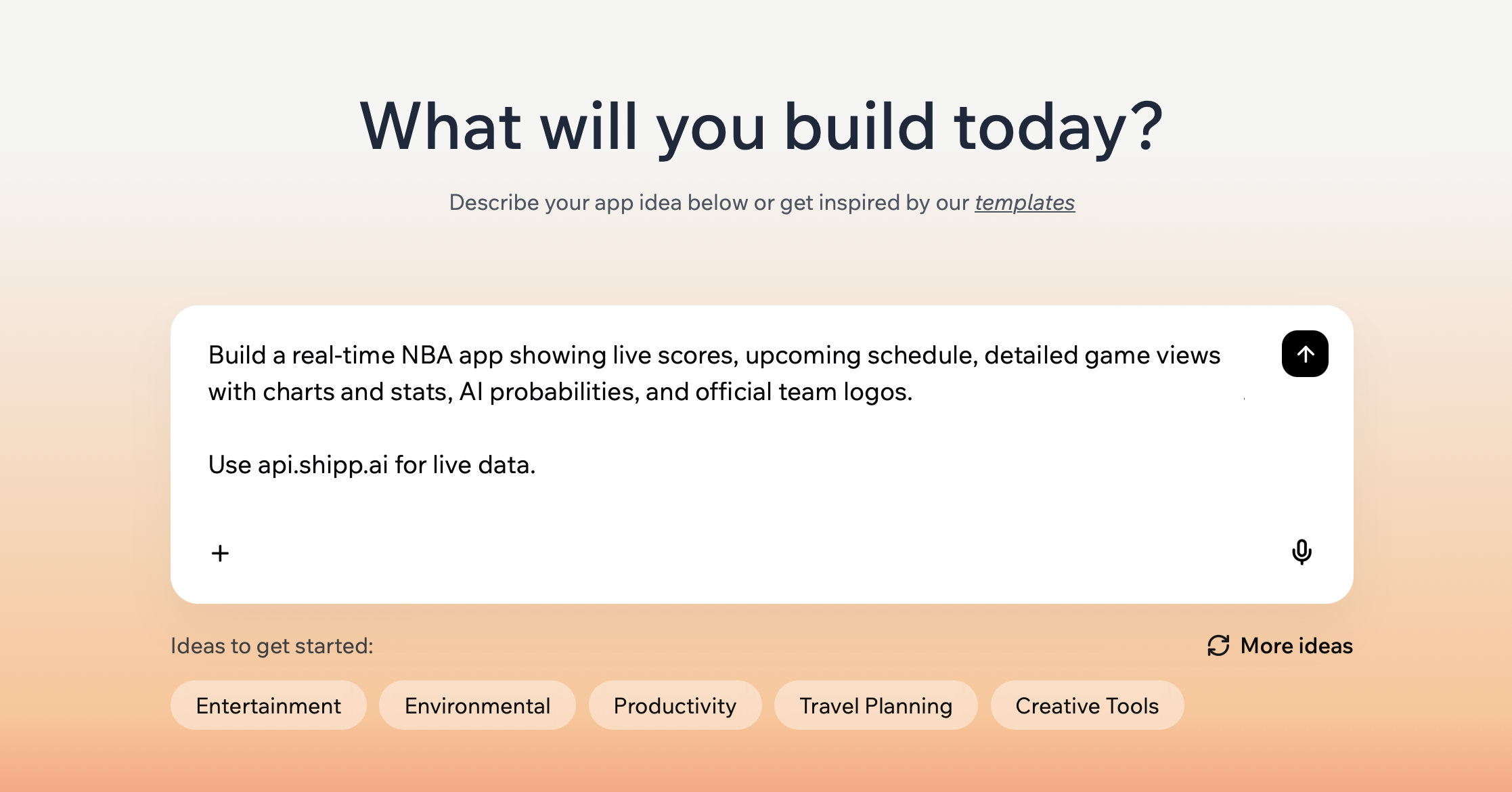
Enable Base44 Backend Functions
Backend Functions require Builder plan and above
Ship runs server-side, so cloud execution is required for the integration to work. You can attempt to run client-side without Backend Functions, but be aware that Base44 may not be able to save data correctly and signifanctly increase the credits used on Shipp.
There are a few ways to turn on Backend Functions for your app.
From Workspace Screen
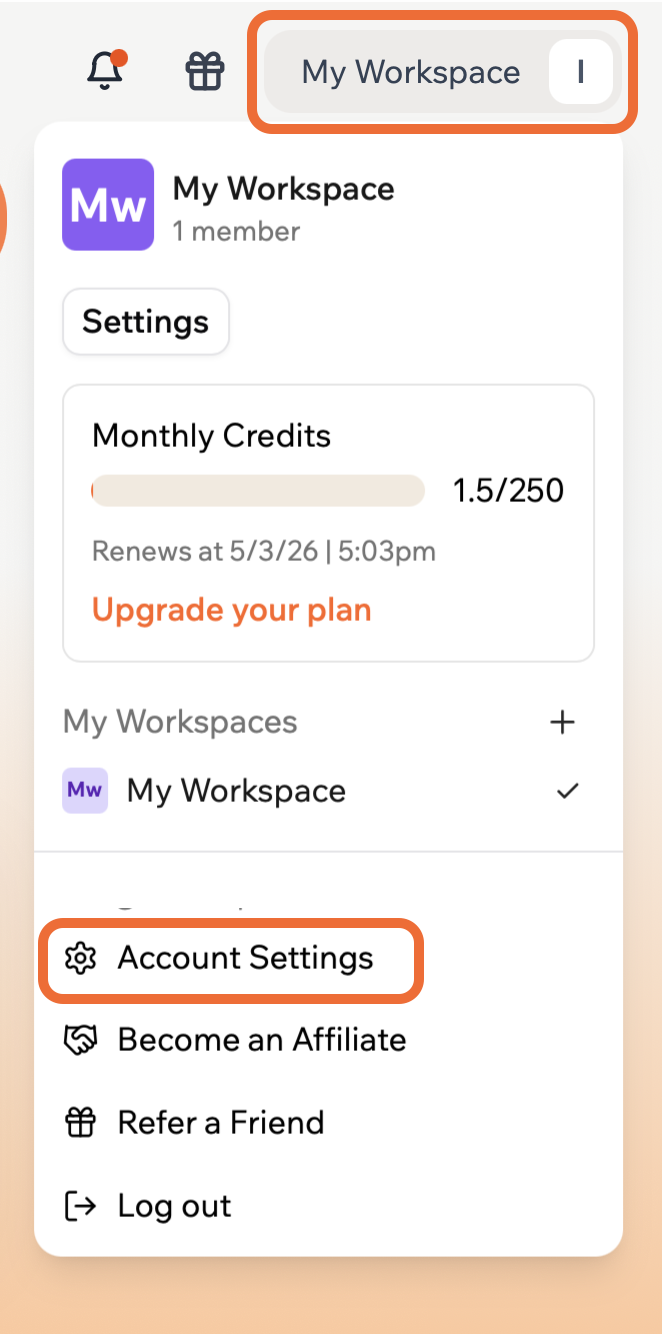
- From the workspace main screen, open the
My Workspacemenu at the top right, thenAccount Settings
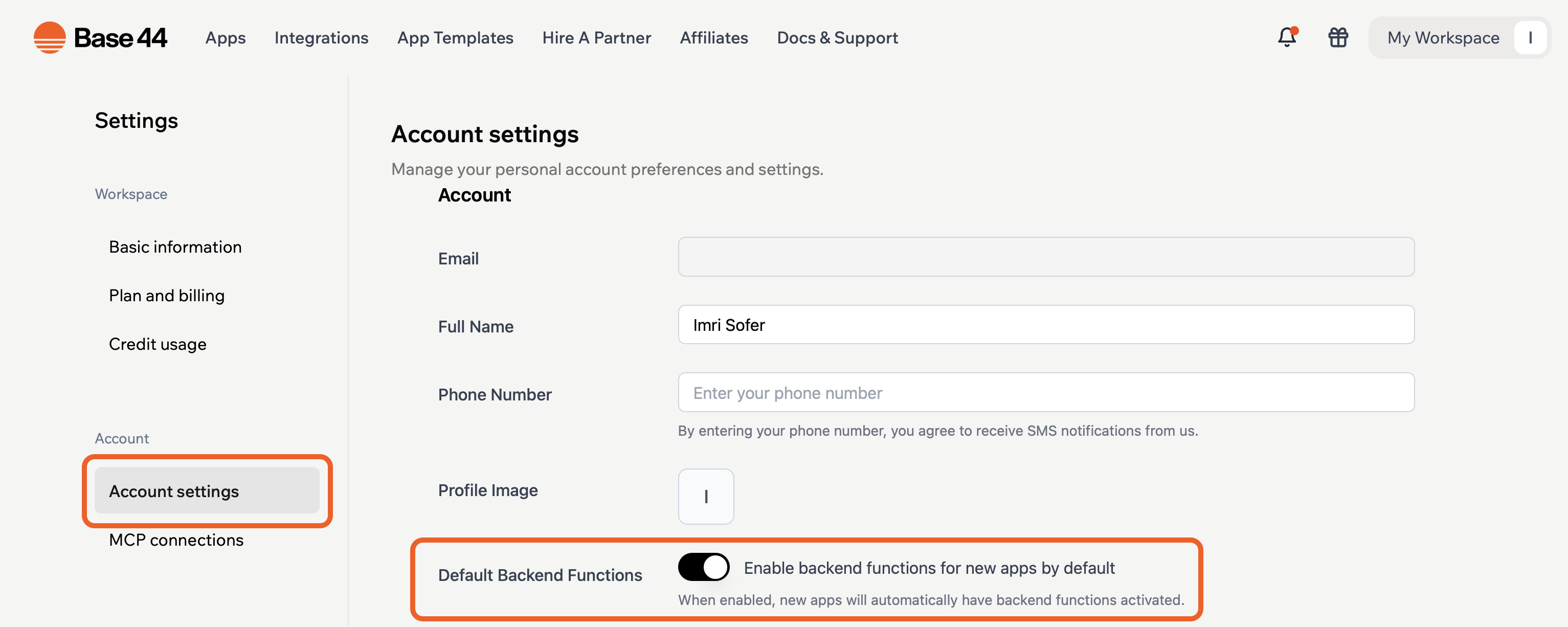
- In Account Settings, enable
Default Backend Functions. This makes it easier to setup your apps with backend functions.
From App Editor
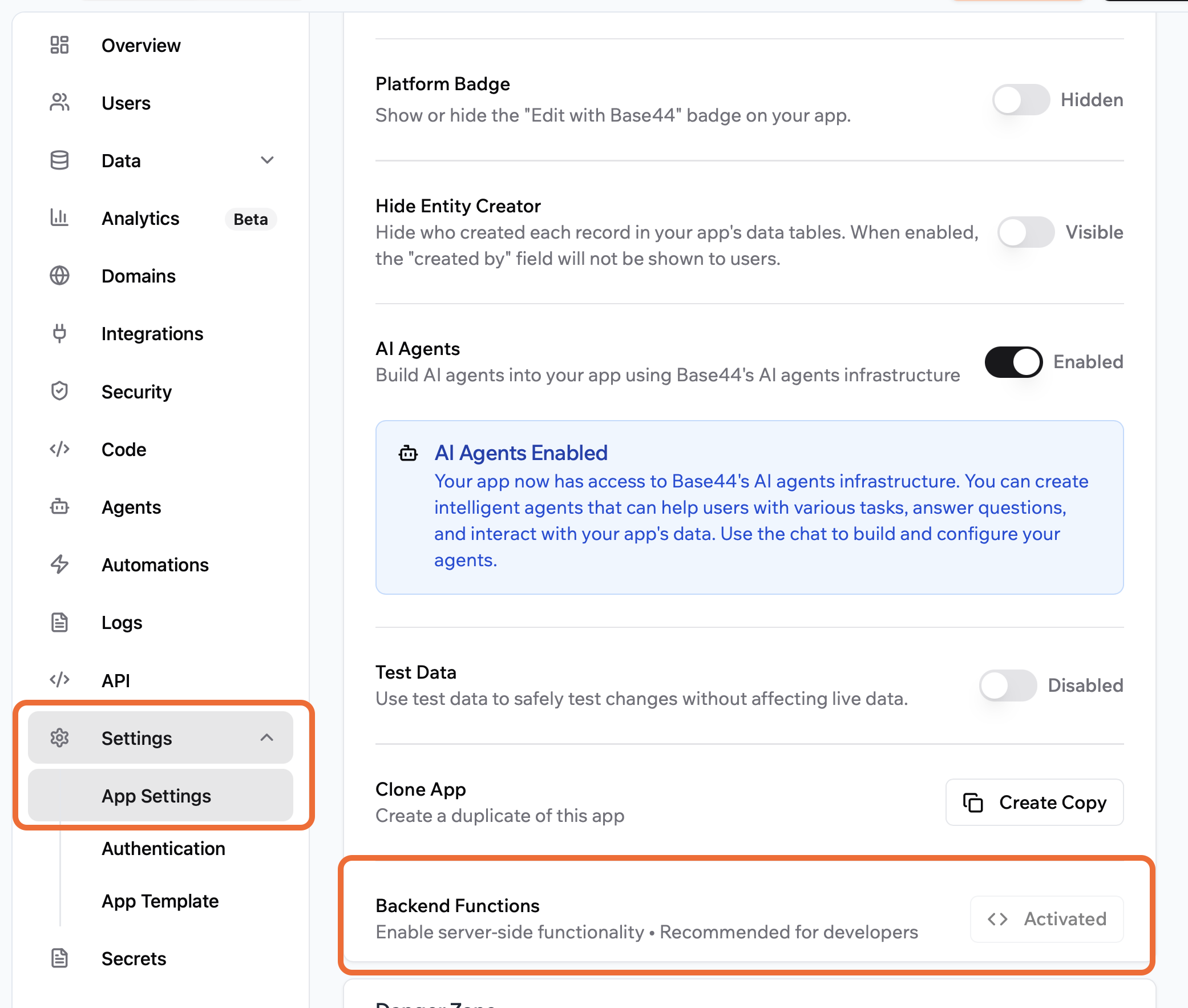
- Inside the App Editor, click
Dashboard.

- Navigate to the App Settings and enable
Backend Functions
Add Shipp API Key to Base44
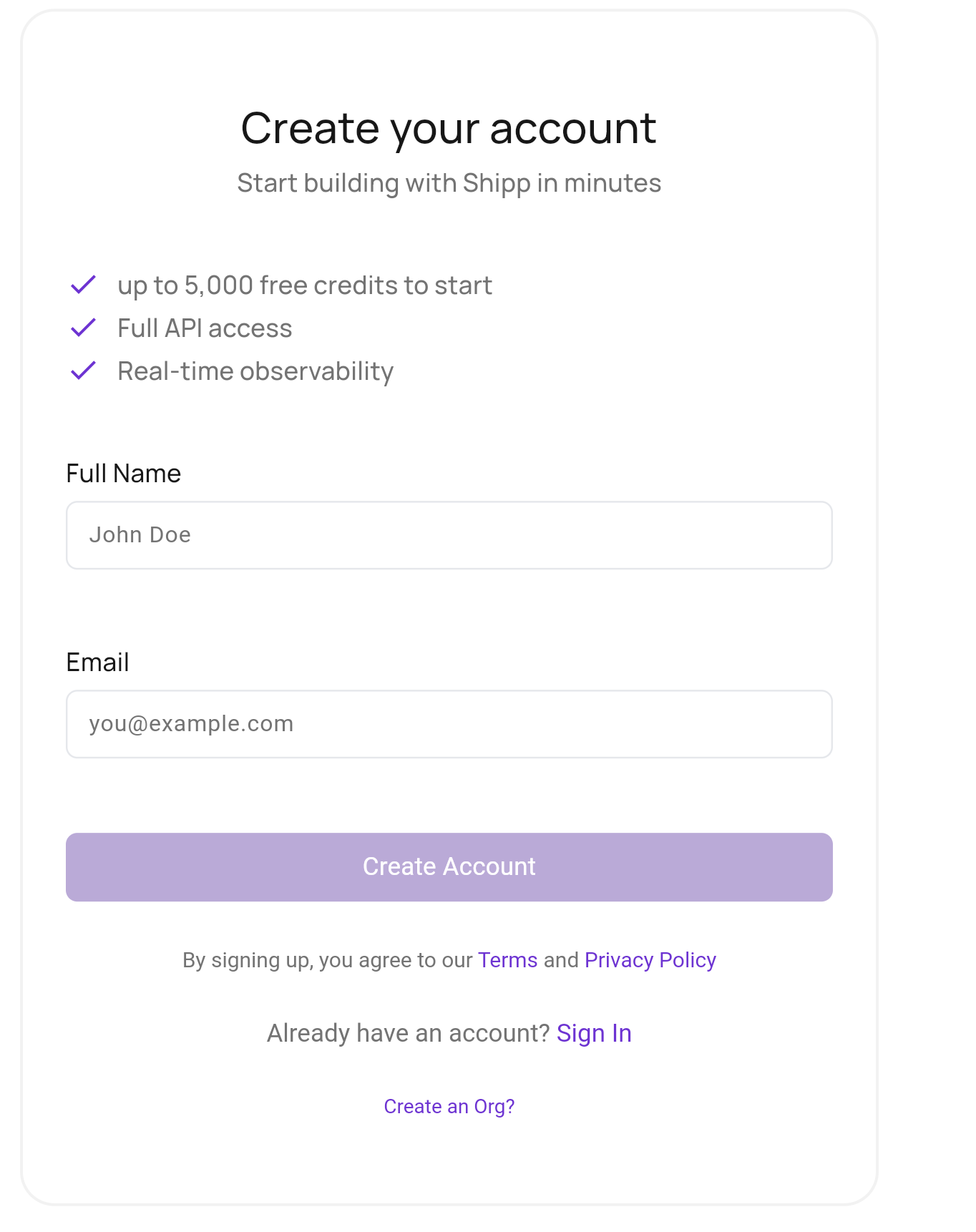
Create your Shipp Account
Sign up to Shipp. Once logged in, you can manage data connections & API access.
What is an API?
It's how your Agent & the app you create will communicate with Shipp. API is an acronym for Application Programming Interface
Get your Shipp API Key
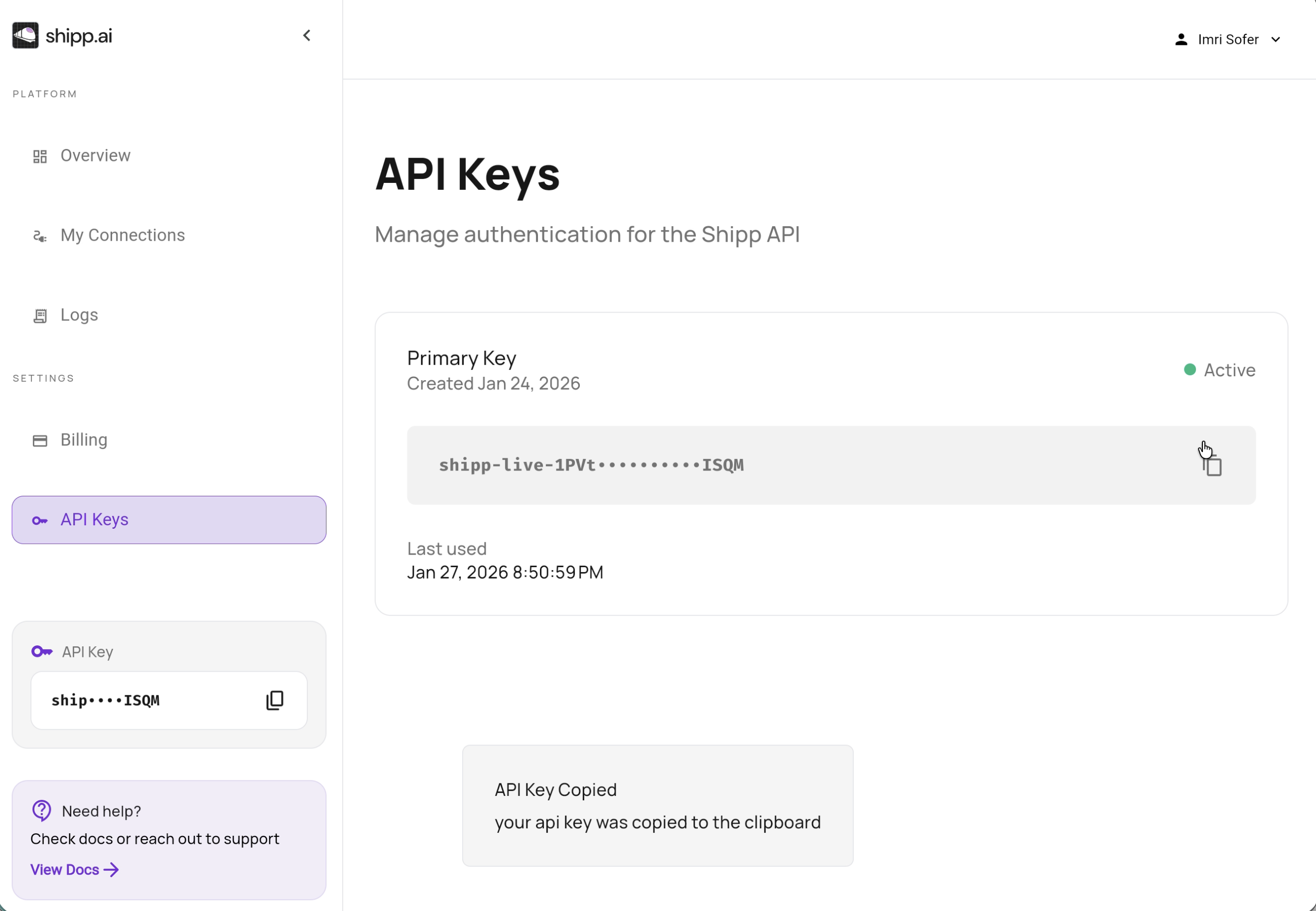
In the Shipp dashboard, go to API Keys and copy your API Key
Set Secrets in Base44
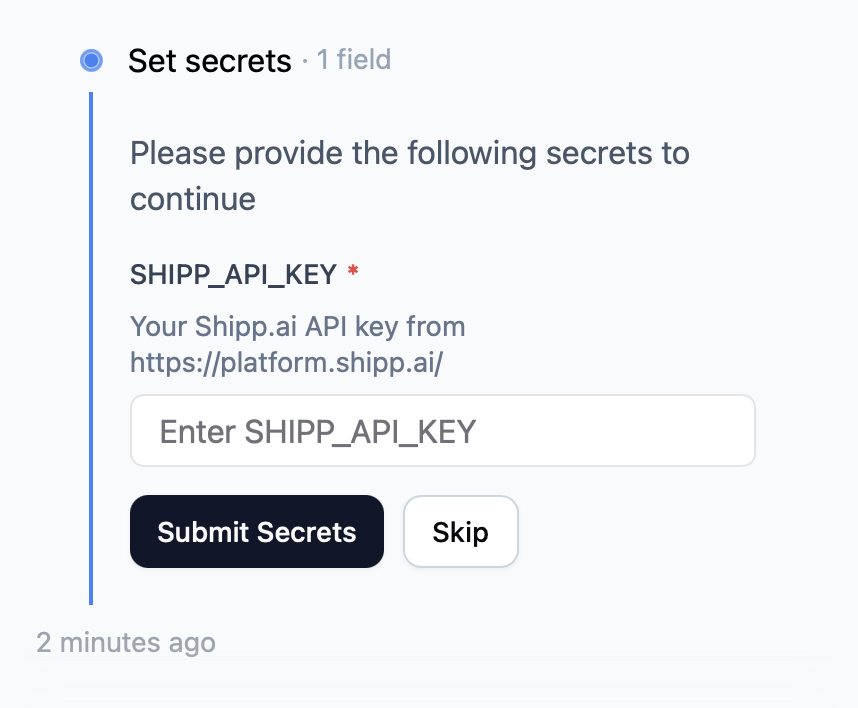
Return to Base44. The Set Secrets dialogue should be open in chat. Paste
your API Key and submit!
API Keys are Secret!
Do not paste your API key into the chat. Always store it as a secret.
MCP Server
Base44 supports custom MCP servers for Builder plan and above. These servers can only be accessed by the agent when building, and should make the protoyping experience even faster and better. We're working hard to add support for you!